
AI Background Changer
Replace a distracting background with a white, studio, or lifestyle setting while checking subject edges and shadows.
ONLINE AI PHOTO EDITOR
Use AI Edit Photos with a JPG, PNG, or WebP: describe the change you want and compare the result. Change backgrounds, remove distractions, retouch portraits, or improve product scenes without learning complex editing software.
Your photo is uploaded when you start the edit. Review the result before sharing.
 Original photoEdited photo
Choose a photo on the left. Your original and edited result will appear here.
Choose the outcome that matches your photo, open the dedicated guide, or load its example instruction into the editor.
Replace a distracting background with a white, studio, or lifestyle setting while checking subject edges and shadows.
Describe an unwanted object or person and the scene that should be reconstructed behind it.
Improve lighting, color, and visible detail while carefully reviewing identity and natural skin texture.
Create a cleaner product setting while verifying labels, logos, color, material, and proportions.
Identify the person to remove and describe the scene and subjects that should remain.
Describe the unwanted object, its position, and the texture that should continue behind it.
Start with the image you already have, ask for one practical change, and verify the result for its intended use.
Remove a background distraction, create a calmer setting, or bring attention back to the people and moment you wanted to keep.
Prepare portraits, post graphics, thumbnails, and campaign images with a new mood while preserving recognizable subjects.
Create white, studio, or restrained lifestyle settings, then verify every label, logo, material, and selling detail before publishing.
Choose one JPG, PNG, or WebP image up to 10 MB that you own or have permission to edit.
Write the change in plain language and name the faces, text, products, colors, or edges that must remain.
Review the original and edited image at full size. Download the result only after checking important details.
Use a specific instruction to change the setting, light, or mood while naming the subject details that must remain. Adapt these ideas to your own photo.
Describe a new setting while naming the product details that matter: shape, material, and label.
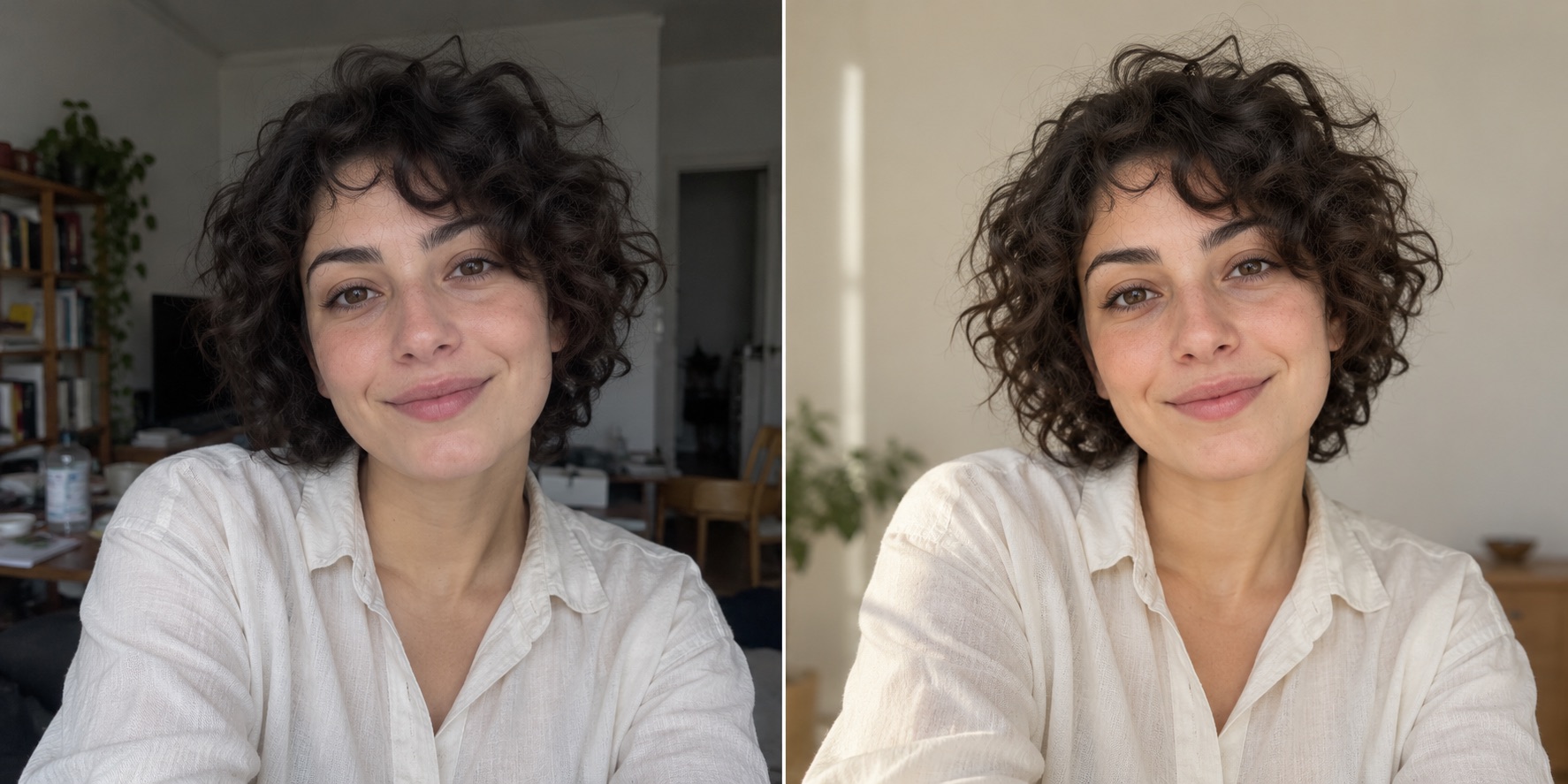
Ask for balanced light and a calmer background while keeping expression and skin texture natural.
Images are creative concepts for this page, not verified output from the connected editor. Your result will depend on your photo and the available model.
You do not need to work through layers, masks, or a long list of manual controls. Upload one photo and describe the change you want, such as a clean studio background, the removal of a bin behind the subject, softer portrait light, or a neutral setting for a product. The editor combines your instruction with workflow-specific guidance while asking the connected image model to preserve important subjects and details.
The workspace shows the available image model and its credit cost before you submit an edit. An account is required to run the task and view image history. The site does not promise unlimited free generation: the credits available to you depend on your account and the current pricing options.
Choosing a file first creates a local browser preview. The upload begins only when you start an edit. In the production setup, stored uploads are accessed through authenticated, user-scoped routes rather than a public media bucket. The selected AI provider still needs the image to process your request, so review the privacy policy before working with sensitive material.
An instruction guides a generative model; it does not guarantee an exact edit. Compare the output with the source at full size and inspect faces, fingers, text, logos, product shape, color, fine edges, shadows, and repeated textures. If something important changes, return to the original and try a narrower request or a workflow with a precise selection tool.
Use images you own or have permission to modify. Consider consent before editing a recognizable person, and do not use a generated product image when it misrepresents the item being sold. The comparison artwork on this site shows possible editing directions and is not presented as verified output from the connected model.
An AI photo editor interprets an image and a written instruction to generate a revised version. It can help change a background, remove a distraction, adjust a portrait, or restyle a product scene, but every generated result still needs human review.
You can choose a local file and preview it before signing in. An account is required to upload the image, start an AI task, track its status, use credits, and access your image history.
The credit cost depends on the selected AI model and appears before you submit the edit. Available free or paid credits depend on your account and current plan; the editor does not claim unlimited free generation.
Selecting a file first creates a preview in your browser. The image is uploaded only when you start an edit. Production uploads use private, user-scoped access; the selected AI provider still receives the image to process the request. See the privacy policy for full storage and provider details.
Choose your image, describe one clear change, review the displayed credit cost, and inspect the result before using it.
Open the AI photo editor